Leverage What You Know!

Enter Your Name & Email To >>

1. Get My FREE Training On How To Use Content To Get More Clients & Cash

2. Get My Weekly Marketing Articles Sent To Your Inbox

3. Get My Exclusive "Email Only" Content Marketing Strategies

Get Your FREE Training Here!

We respect your privacy!

Today I want to show you how you can convert your Facebook profile page to a fan page AND the pros and cons of doing so, based on a little experiment I did with my husband’s Facebook pages.

When Facebook opened up to the public and caught on with business owners we all began with a Facebook profile page. We all have one. Unfortunately for most of us, we were forced to mix personal use of Facebook along with business use and it made for a kind of “muddy” social media business model. No one really liked it like that. I didn’t want personal stuff from my friends pushed on my wall, and I’m sure some of my family members were like “What the heck is Lisa writing about today? We just want to hear about the kids!”

So in comes Fan Pages. Cool. We can use these for business. So now we have a profile page which if you used for business a lot, you still have a lot of those types of people sending you friend requests AND we have a fan page which up until a while ago we had a pretty good system for encouraging the “like”. With Facebook’s new timeline format for both profile and fan pages, that has changed a bit. But you either have just a profile page OR you have a profile and a fan page.

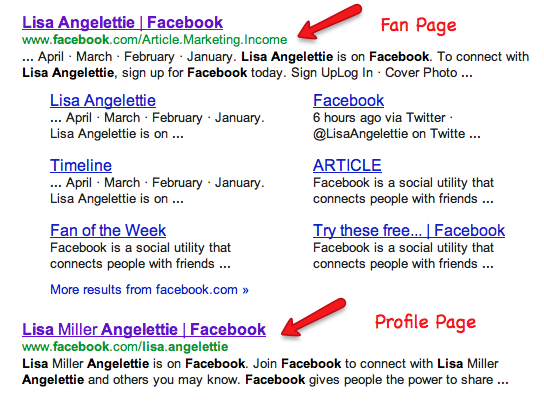
For example, if you do a search for “Lisa Angelettie Facebook”, you will see results for both my Fan Page and my profile page.

Lisa Angelettie On Facebook

One day I accidentally ran into an article on Facebook on how to convert a profile page to a fan page and instantly became interested in what the benefits of that would be. Hey, I didn’t even know you could do that. So of course I didn’t want to experiment on myself! (LOL!) So I used my husband as a guinea pig and these are the steps that we took…

1 – Download all of your Facebook data on your profile page.

Go into the general settings of your page and you will find the link to download your personal data which will include your photos, timeline info, (see below). because once you convert to a fan page you will lose all of that data. The only data that is moved to your fan page are your friends which are now your FANS and your username. Uh, my husband was stubborn and refused to do this first step which he later regretted. So do this step!

What Personal Information is Downloaded During the Back-Up Process?

  1. Personal profile information (groups, information, interests, contacts etc.)
  2. Photos & videos
  3. Wall posts
  4. Status updates
  5. Content that your friends have uploaded
  6. Friend lists
  7. Notes
  8. Messages sent and received
  9. Events that you have RSVPd for
  10. Comments you have received and made on walls, photos etc.

Facebook is the #1 social marketing tool for small business owners to create a broad reach but stay really up close and personal with readers. It’s important that if you are a small business owner, service professional, etc. that you have a presence on Facebook with a Facebook Fan Page.

But guess what? Facebook is ALWAYS making changes to create a better user experience, and the downside to this is that they are frustrating a lot of folks along the way. The latest change to Facebook’s Fan Pages (business pages) Timeline format is no exception.

You may be grumbling, if you spent major time or money customizing a fantastic landing page for your Facebook Fan Page — but hey, times are a-changin’ and I want you to embrace the possibilities of what’s ahead on Facebook, that’s why I will walk you through the only essential changes you need to pay attention to when creating and/or updating your Facebook Fan Page. Lickity Split!

This tutorial begins with assuming that you already have a Fan Page for your business, but if you do not have one it’s pretty simple. Login to your Facebook account and click on the “create a page” link usually found in the general settings section of your account, then move forward with this tutorial…

Facebook Fan Page Timeline Essential #1 – Cover Image

So the most important part of your new and improved Facebook Fan Page is the cover image. This image is the first thing that people will see when they visit your fan page. This means that you can NO LONGER create a default landing page that people see first. Typically this page would create an incentive for folks to “Like” your page or opt-in to your list, etc. This was a major blow to the business owner, but I get it, Facebook is trying to maintain a certain standard. So we simply have to play by their rules.

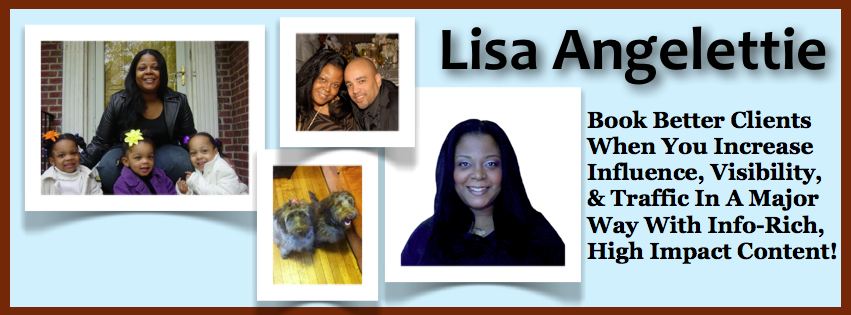
This image is “public” which means that anyone who clicks on your page will see it, so it’s important that you do not use any images, etc. that will violate copyright laws etc. On another note it’s important that this image capture you and what you represent. What you love. What you do. People need to connect with you and your message. So for me, I chose pictures of me so people know who I am, pictures of my family, my dogs, and then a blurb about what it is I do.

lisa angelettie fan page

Other things that you CANNOT include in your cover art are:

  • Price or purchase information, such as “40% off” or “Download it at our website”
  • Contact information, such as web address, email, mailing address or other information intended for your Page’s About section
  • References to user interface elements, such as Like or Share, or any other Facebook site features
  • Calls to action, such as “Get it now” or “Tell your friends”

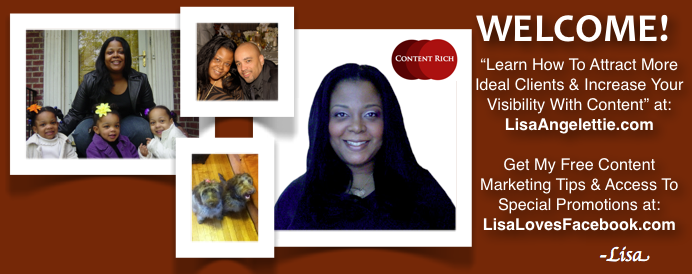
To show you what NOT to do, here is cover art that I used on my main Facebook account while I was playing around with the Timeline feature which currently DOES NOT adhere to the new rules, because I have two website addresses listed as well as a call to action on getting free content. I will have to take this picture down asap so that Facebook will not ban my account:

Old Facebook Fan Page

When creating this image, it must be at least 399 pixels wide, but optimally should be a JPG file that’s 851 pixels wide, 315 pixels tall and less than 100 kilobytes (although I used a PNG file). You can create this image in Adobe Photoshop if you own it, GIMP which is a really robust freeware, or use a shortcut like I did and create your image in a word processing document then take a screenshot of it with something like Jing.

Profile Picture

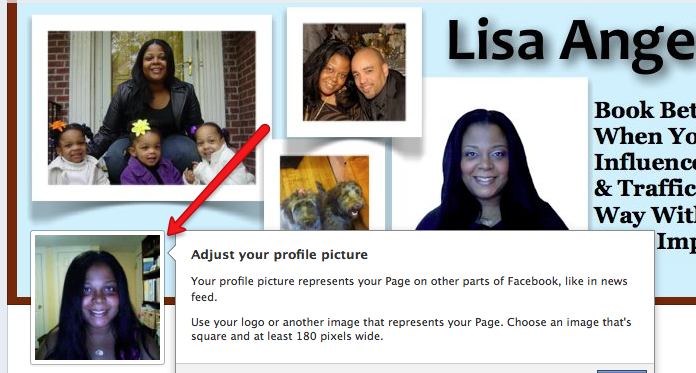
If you notice, on both of my timeline cover art photos I have left a little space in the bottom, left-hand corner. That is because that is where Facebook will show your profile picture. This is the picture that will represent your page around Facebook and it’s a good idea to add a logo here or a picture of you if you brand yourself. I’m always playing around with my profile pic, and that’s the great thing about this process, nothing is written in stone. Create images for both your cover art and profile pic and play around them. See what best fits your business and your brand.

angelettie fb profile pic

Facebook Timeline Fan Page Essential #2 – About Page

The next most important part of your fan page is the About Page for obvious reasons. First people are going to look at your cover art and then scan down and they will see your About section. This is a section I really didn’t pay that much attention to with my old fan page because I let the old default landing page do all the heavy lifting, but now it’s important to get this right. Your #1 objective is to get a link in there to your website since you were not able to put it in your cover art.

To make this happen, all you have to do is write all your information in the small ABOUT section of the about page. You don’t have a lot of room, so make every word count.

Here’s how my old about page intro showed up in Facebook’s new timeline format. Notice the address and phone number info was prominent:

facebook about

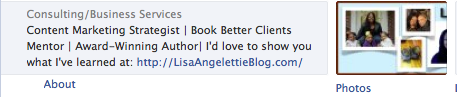
Here’s how my new about page intro shows up in Facebook. Notice that I have included what I do and a link to my website:

facebook about angelettie

Facebook Timeline Fan Page Essential #3 – Highlight With Apps

Next to the about section you will see four apps showing, typically they will be photos, likes, and then two others. The photo app shows in the first spot and you cannot change that, but the others can be moved around. Typically I wouldn’t move the second section which is “likes” because first you want to remind people to like your page and secondly, you want to show your likes as social proof that folks are stopping by your page and liking your content.

You can show a maximum of 12 apps but obviously you want to put your most important ones first because the first four are the most visible. I’ve seen different companies do different things such as app links to Twitter, YouTube, their newsletter, a custom welcome page, a freebie, etc. In the future, I’ll probably add a button for a free chapter to the book I’m working on, but for now I’ve linked to my Twitter and YouTube accounts.

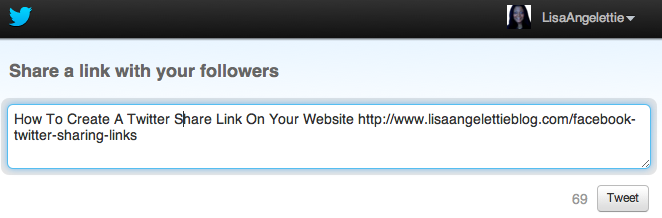
Do you like this FB tutorial so far? Let me know by sharing it on Twitter

Facebook Timeline Fan Page Essential #4 – Highlight Your Content

So here’s something cool that you can do now on your fan page which will help you highlight your content. Hover over an important post and then click on the PENCIL to pin it to the top of your page. This makes it a “sticky” post that stays on top under your app section.

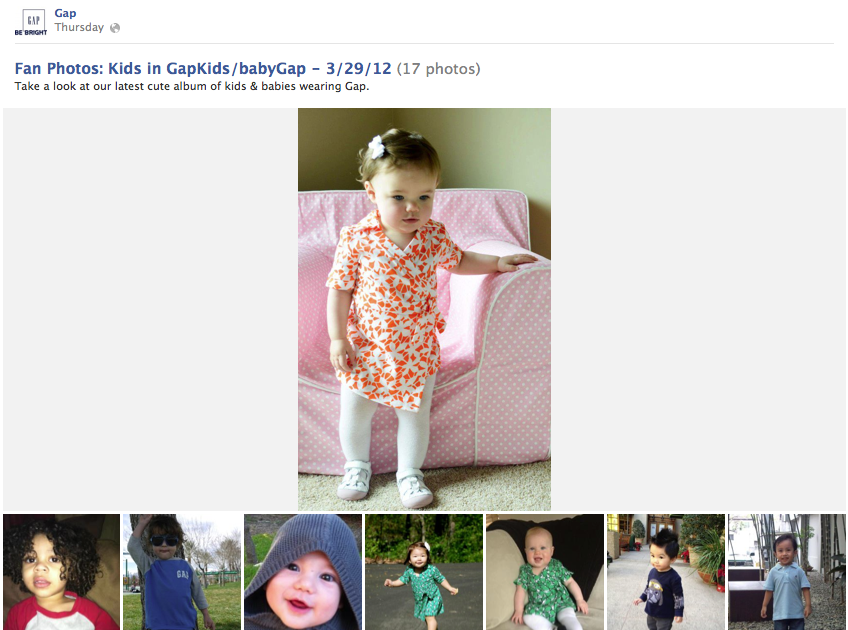
You can also click on the STAR to make your post wider (double width). I think that these particular posts look best when you have a photo to highlight, here’s an example from The Gap:

gap facebook photo

Facebook Timeline Fan Page Essential #5 – Use Private Messaging

Now you can receive private messages via your Facebook Fan Page and notification for those messages will conveniently show up in your new admin area. Honestly, if you are on Facebook at least an hour a day it’s probably a quicker way of communicating with your community especially around support issues.

I have a support site, my main site, and various niche sites and it would be interesting to funnel all of my “support” emails via Facebook. Of course the person would have to have a Facebook account, so I am not sure about this one, but it’s something to think about in the future.

*Sidenote – Your New Admin Area

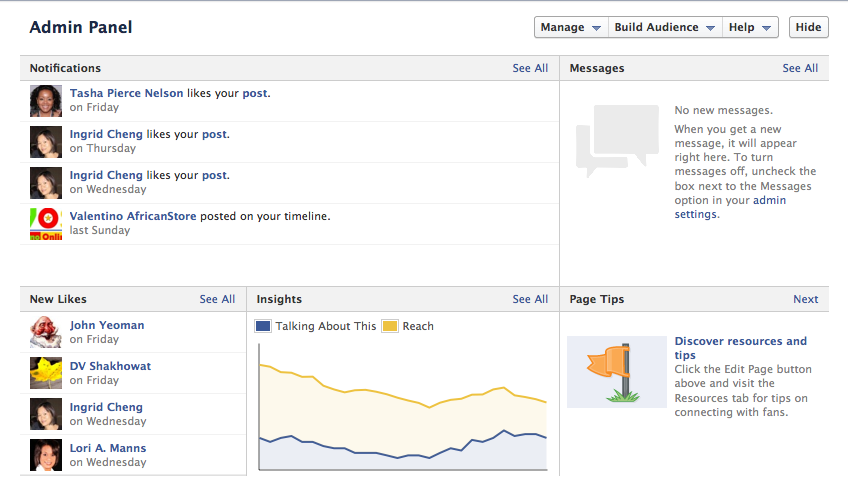
With the update to Facebook’s fan page interface, there is a new admin area complete with a list of the latest notifications on your page such as who has just posted on your timeline, a section for your messages, a section for who has recently liked the page, a section titled “insights” which shows you with a simple graph how far your reach is on Facebook vs. how many people are talking about your page on Facebook, and lastly there is a section with tips on improving your page.

facebook timeline admin panel

Final Comments

As we build our Facebook Fan Pages together, I will be writing more articles on topics that I am interested in such as sharing content effectively using Facebook’s new timeline format and getting more Facebook fans using this new format. If you liked this article and want to stay connected with me, please LIKE my page and if you’d like me to visit and like your page, please leave a link to it in the comment section below. Also, If you have any article ideas that you’d like me to cover in the future, please let me know by contacting me directly on Facebook.

The Big Shift

In a recent teleclass that I led on The 5 Biggest Shifts That Entrepreneurs Must Make When Writing Articles That Attract Clients, I talked a bit about the dramatic SHIFT that is happening on the web right now. Search engines like Google are now taking a very close look at whether or not your content is being shared via social media and ranking your content based on those factors. This shift will significantly shape your online reputation.

Uh-Oh Is This High School Again?

Okay, so this sounds a little bit like a popularity contest right? Well sort of. The more folks who share, like, retweet, and comment on your content the more IMPORTANT that Google thinks you are. So essentially it comes down to the more people who like you — the better you will do in the search engines, BUT there’s one great advantage you have…

You Have MAJOR Control Over Becoming A Cool Kid

Unlike actual high school, you don’t have to depend on an arbitrary hierarchy  to decide whether your content fares well in the search engines. YOU are on the same playing field as all of your competitors and you are probably 2 steps ahead of all the “Big Boys” in your niche, because everyday people make the decisions on whether to share, retweet, and like content.

If your content is good, if it’s inspiring, if it’s compelling, if it’s entertaining — it will be shared, regardless of WHO you are. When Google sees this, they ASSUME that you are important and rank your content accordingly.

Okay Lisa – So How Important Is This?

This shift towards more importance being paid on social media influence is critical if you want to remain relevant — at least in the search engines. If you are not on social media or created an account a year ago and haven’t been active, it’s time to get on the grid.

If you must choose just one to start with, I’d go with Facebook because it is the largest social media network and it has undergone tremendous growth over the years and continues to do so. If you are a rapid implementer. then I’d sign up with the power 3: Facebook, Twitter and LinkedIn.

If you’re active in social media and want to check just how well you are doing in social media (your social media influence), then a great place to check is: Klout.com. *I have a little disclaimer here though. Don’t get real crazy over your numbers in Klout. Use your Klout number as a frame of reference for how you’re doing in social media and what you need to work on. Then leave it alone.

This Still Sounds Like An Uphill Battle

No, it really isn’t. Sure, there are always going to be leaders who were already powerhouses offline like Oprah and will do great in social media — but when it comes to shining in your niche — social media really does level the playing field. The #1 key is to make sure that you are sharing kick-a@#! content. Get that right and everything else will fall into place. I recommend that you get started by building a strong foundation with articles.

Okay, Now You…

First, if you found value in this article, I’d appreciate it if you tweet or share it with your community or comment on it. Pay it forward please:)

Now for my question of the day: Do you think it’s a good idea for search engines to use social media as a factor for ranking content? Do you believe it puts you at an advantage or disadvantage?

How Are You Doing In Social Media Circles — REALLY?

It’s been an increasingly significant way for search engines like Google to measure the “importance” and “relevance” of your website and your brand. What is it? Your social media reach.

When making a decision about how to rank your content in the search engines, companies like Google are taking in account the reach of your brand in social media circles. These sites may include: Facebook, Twitter, Google+, StumbleUpon, etc.

A question you may want to ask yourself is: Has your blog accumulated Tweets, Facebook Shares, Google +1s or Stumbles? This is a great indicator of how your site has been promoted by you and shared by others. Very important for the long-term success of any website in today’s marketplace.

Hey it’s a tough concept for many of us solo professionals. I mean who has the time to spend on social media when we have businesses to run? But like it or not, the reality is that social media is here to stay and if we “work it” it will work just as hard for us in return.

A great way to check out your social media reach is to go to a site such as: SocialMention.com, plug in your site’s url and take a look at how you score.

social mention

Scoring will include factors such as strength (a calculation based on how often you’re mentioned in social media), sentiment (ratio of mentions that are positive to negative), passion is (likelihood that folks talking about your brand will probably continue to do so), and reach is the measure of your range of influence (# of authors divided by mentions).

While this is the not the end all, be all of influence — a look into this site can give you a picture of how you’re doing in social media and what you can do better.

It can also help you identify social media heavyweights in your niche that would be a good idea to connect with. So don’t be scared! Go get your free social media analysis and feel free to share your results:)

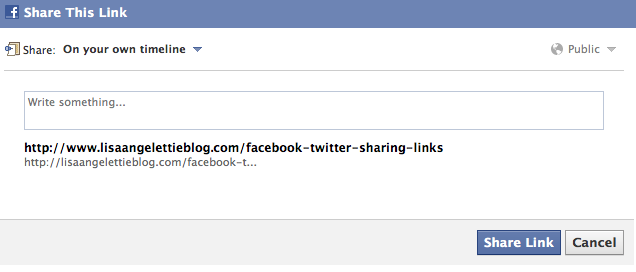
If you liked this post, please share it with someone today!

How To Add Facebook & Twitter Stream To Google+ Plus

Learn How To Add Facebook & Twitter Stream To Google+ Plus In 60 Seconds! Here’s a quick Social Media Content Nugget for you to implement this week… I’ve been a slow adopter, but I am starting to see the benefits of really using Google+ for business. First of all there are totally different users and [...]

Read the full article →

Facebook Streamlining Email Delivery

Facebook Is Streamlining Their Email Delivery Process Just got this notice from Facebook. I think this is an idea long overdue. What about you?    

Read the full article →

Have You Done Your Social Media Research?

Have You Done Your Social Media Research? Movie rental company Netflix raised a lot of ruckus this year when they raised their monthly feels by 60% (wow!) and as a result over a million subscribers dropped the service. Now they’ve decided to separate their online video streaming from their by-mail service and are still calling [...]

Read the full article →

Get Custom Facebook Url Without 25 Fans

Get Your Custom Facebook Url Without Having To Get 25 Fans Great News! You no longer need to obtain 25 fans for your Facebook fan page in order to get a custom Facebook fan page. So if you’re putting up a new page for your biz, your new product, or service — then go ahead [...]

Read the full article →